
Agents are fast. They also guess.
When I design and build with AI coding agents, four things break down before a feature ships.
Four ways AI coding agents go off track
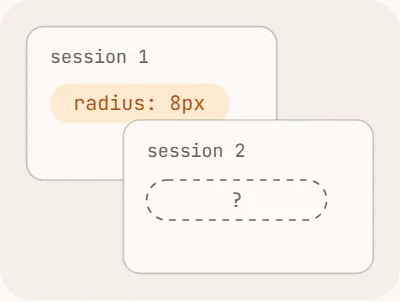
They forget.
Rules and decisions get repeated every session.
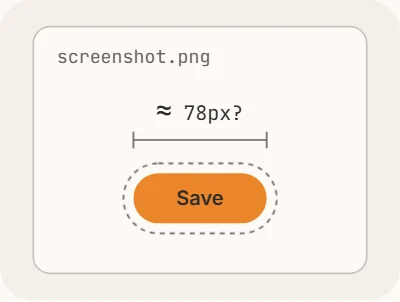
They guess the design.
A screenshot gives estimates, not values.
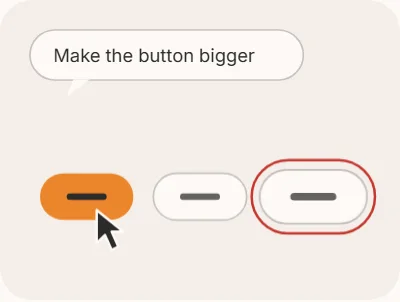
They misread feedback.
"Make the button bigger" could mean any button.
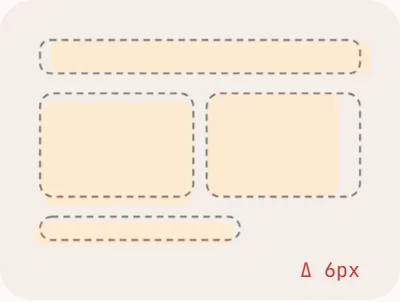
They drift.
Nobody checks the result against the design.


When I started building interfaces with AI coding agents, I collected design references all day. Whole-site extractors dumped thousands of lines my agent had to dig through, and it still guessed. Screenshots were worse, because an agent reading a picture invents the spacing, tokens, and hover states. And when I left UI notes across several routes, agents dropped half of them.
“I needed one button, not the whole website.”
Lucas (Wai Phyo Aung)
Founder & Product Designer · Pawprint
One loop, four steps.
Show the design, direct the change, check the result, and keep what was decided.
Show.
Capture exactly what you pick.
Pick a component, text style, colour or spacing value on any page. Luci writes a design file with measured values, including hover and focus states.
- Four tools
- Component, Text, Colour and Spacing.
- Every state
- Hover, focus, active and disabled.
- One basket
- Collect picks across pages, export one file.
- Your tokens
- Rewrite a capture onto your own tokens.
Direct.
Point at it. Luci writes the prompt.
Pin a note on the exact element, or drag the layout into place. Luci turns it into one prompt, with the source file for each item.
- Source lookup
- Component and file in React, Vue and Svelte.
- One prompt
- Notes from several pages, each with an ID.
- Layout mode
- Resize, move and insert parts, or sketch a page.
- You decide
- Only you mark a note done.
Check.
Check what the agent built.
Luci captures the built component the same way and compares it with the design, part by part.
- Part by part
- Styles, states, anatomy, motion and accessibility.
- One sentence each
- Every difference can become a feedback note.
- Auto re-check
- Runs again when the page changes.
Remember.
Agents that start informed.
Rules, decisions and the current task live in a .luci/ folder. Every agent reads them at the start of a session.
- Conflicts flagged
- Contradicting rules, with file and line.
- Right skills
- Only what the task needs, within a token budget.
- Built for UI
- A skill library for UI, UX and front-end work.
Five principles
Measured, never guessed.
Every value comes from the live page. Nothing is invented.Scoped.
A component, a section or one token system — not the whole site.Agent-ready.
It extends Google's DESIGN.md format, which agents already read.Lives where you work.
On any website, or inside your own project.Accessible by default.
Every export includes WCAG checks in plain words.
Built for how agents work.
One shared core powers three surfaces: the dev toolbar inside your running app, the project memory in .luci/, and the Chrome extension on any site.
Direct your agent from your running app.
Pin feedback notes to the exact rendered element, sketch spacing or layout changes in place, and verify the result when your agent finishes.
- Feedback
- Resolves component and source line in React, Vue, and Svelte.
- Layout
- Change gaps, sizes, or insert parts — turned into one layout plan.
- Check
- Auto-check compares the build against your saved design after reload.
One memory for every agent.
One command sets up a .luci/ folder and links it into CLAUDE.md, AGENTS.md, .cursorrules, GEMINI.md, and Copilot instructions so every agent starts informed.
- Shared rules
- Rules, architectural decisions, and active task stay in versioned markdown.
- Token budget
- Only the UI/UX skills needed for the active task load into context.
- Proposals
- Agents propose new rules for review; only you approve what becomes law.
Capture the design of any website.
Inspect any public page with Component, Text, Colour, and Spacing tools. Collect picks into one basket and export a measured DESIGN.md straight into .luci/design/.
- Measured
- Reads computed layout, typography, tokens, contrast, and hover/focus states.
- One basket
- Gather elements across multiple pages before exporting one clean file.
- Remap tokens
- Rewrite captured values onto your own project's design tokens.
A real export.
This is part of a real export Luci made from a public website (ko-fi.com) while I was building this portfolio, alongside real accessibility misses Luci flagged across reference sites.
- 1
description: "Exported by Luci from 1 capture of ko-fi.com/; values measured from live pages." - 2
colors: primary: "#fd5913"surface-variant: "#202020"- 3
typography: heading-1:fontFamily: bogue-blackfontSize: 4.5rem- 4
components: button:backgroundColor: "{colors.surface-variant}"rounded: "{rounded.r-9999}"padding: "1.25rem 1.75rem"
- Says where every value came from
- Colours named by role, not just hex
- Type roles measured from the page
- Components point to tokens, so agents reuse them.
| Finding | Measured | Verdict |
|---|---|---|
| Footer text on a fintech homepage | 1.71:1 contrast | Fails AA |
| Primary button on an AI builder homepage | 4.26:1 contrast | Fails AA |
| Card label on a developer-platform homepage | 2.12:1 contrast | Fails AA |
| Carousel dots on a wallet homepage | 10.66 × 10.66px target | Fails AA (needs 24 × 24) |
| Navigation on a kids' games homepage | 18.98:1 contrast | AAA |
Key decisions
Seven choices shaped how Luci works under the hood.
Shared core with dev toolbar and extension shells
- Problem
- Browser extensions inspect public websites, while day-to-day UI fixes happen inside your local project.
- Decision
- Built one shared capture, format, and Preact UI core wrapped in two shells: a localhost dev toolbar (luci serve) and a Manifest V3 Chrome extension.
- Why
- Designers capture references on any live site and check their own running app with the exact same measurement engine.
Extend DESIGN.md instead of inventing a new format
- Problem
- Custom JSON schemas force you to teach every agent how to read them before it can write a line of code.
- Decision
- Extended markdown DESIGN.md files (.design.md) with component and section scope, anatomy, interactive states, motion, and accessibility findings.
- Why
- Agents already read DESIGN.md, so exports work without a custom parser.
Local-first with zero telemetry
- Problem
- Teams working on unreleased products cannot send DOM trees, source paths, or design files to a third-party cloud.
- Decision
- Kept every module on localhost (127.0.0.1) with plain markdown and JSON files in .luci/. No accounts, no API keys, and no background network calls.
- Why
- Everything stays in your repository and works offline.
Load only the skills a task needs within a token budget
- Problem
- Dumping every UI and engineering guideline into system prompts bloats context windows; loading none leaves agents guessing.
- Decision
- Built a skill ranker with a default token budget and cap per task, always pairing UI work with an accessibility baseline.
- Why
- Agents get targeted guidance for the screen they are building without drowning out the actual task.
Feedback pinned to source lines under one session header
- Problem
- Vague UI notes force agents to grep the repo, and repeating page headers makes agents treat multi-page feedback as separate tasks and skip items.
- Decision
- Resolved React, Vue, and Svelte source files via source maps and grouped every pending note under one session header with stable IDs (P1-A1).
- Why
- Agents jump straight to the right file and report back on every single note in one turn.
Refuse bare images and point to the surrounding component
- Problem
- Selecting a raw image, video, or canvas tag produces no layout or typography tokens.
- Decision
- Blocked standalone media elements in the picker and prompted the user to step up to the enclosing component, which records how the image is framed.
- Why
- Keeps guessed values out of design.md exports while still documenting aspect ratios and containers.
Match the team's CSS units and colour formats
- Problem
- Hardcoding px and hex values forces manual conversion in codebases that standardize on rem or OKLCH.
- Decision
- Made length units (px, rem, or both) and colour formats (hex, rgb, hsl, oklch) configurable format settings.
- Why
- Exports drop straight into a team's stylesheet conventions without cleanup.
A tool with a little personality.
Luci is named after Lucifer, my ginger tabby. Inside Luci's own identity, warm ginger sits on Muzzle White with an outlined cat mascot drawn across the poses you see in the toolbar and docs.


Luci is named after my ginger tabby. Inside Luci's own product and site, warm ginger sits on Muzzle White — separate from this portfolio's Loaffy Candy UI.



Muzzle White
Canvas
Ink
Text & outlines
Ginger
Primary accent
Ginger Deep
Links & shade
Collar Lime
Basket & highlights
Luci built this portfolio.
Every reference for this portfolio was captured with Luci — eight live sites measured, then turned into the tokens and components you are looking at.
- design.md
family.co
16 sections · 5 component kinds
- design.md
tocaboca.com
12 sections · 4 component kinds
- design.md
atoms.dev
3 sections · 7 component kinds
- design.md
deno.com
4 sections · 8 component kinds
- design.md
dice.fm
9 sections · 5 component kinds
- design.md
slush.app
9 sections · 5 component kinds
- design.md
ko-fi.com
1 capture · 7 component kinds
- design.md
mindmarket.com
1 capture · 6 component kinds
Everything stays on your machine.
Luci was built to earn trust from developers and design teams from day one.
No account, no API key, no cloud storage
Install the CLI, run luci init, and everything runs locally on 127.0.0.1.Zero telemetry
No analytics or background calls. Only explicit CLI commands you run reach the network.Plain files in your repo
Rules, decisions, captures, and notes live as readable markdown and JSON in .luci/.Free and MIT licensed
Open source on GitHub, working with Claude Code, Cursor, Codex, Gemini CLI, and GitHub Copilot.
Live, free and open source under the MIT licence. Works with Claude Code, Cursor, Codex, Gemini CLI, and GitHub Copilot.
- CLI (@luci-dev/cli), MCP server (@luci-dev/mcp), and .luci/ project memory
- Localhost dev toolbar with Feedback, Layout plans, and auto-rechecking Design Check
- Chrome extension, published on the Chrome Web Store, for live DOM capture to .design.md
- Full documentation, agent integrations, and live interactive demos at luci.pawprint.design
What I learned
- Narrow beats complete. One accurate component is worth more than a whole-site dump.
- Agents need structure, not more words. Format design is product design.
- Building my own tool made me a better designer for developers.